Master Builder for Minecraft
2.2.2
Unlock your creativity with Master Builder for Minecraft. Discover 1000+ building ideas, blueprints, and designs to enhance your Minecraft world. Start building now!

Report this app
Description
Master Builder for Minecraft: A Comprehensive Overview
Master Builder for Minecraft is an essential tool for Minecraft players who want to elevate their building skills and create complex structures in the game. Available for Android, this app serves as a comprehensive resource for players looking for inspiration, blueprints, and construction guides. Whether you’re a beginner or an experienced player, Master Builder for Minecraft offers everything you need to build amazing structures in Minecraft, from modern houses to medieval castles.
This app is designed to help players streamline the process of designing and building impressive Minecraft creations. It provides access to thousands of pre-made designs, as well as easy-to-follow instructions that guide players through the building process. With Master Builder for Minecraft, you can create more elaborate structures with ease and take your Minecraft world to new heights. In this article, we’ll explore the key features of Master Builder for Minecraft, offer tips for beginners, and give a final review of the app’s overall value.
Exclusive Features of Master Builder for Minecraft
Master Builder for Minecraft offers a wide range of features tailored to enhance the building experience in Minecraft. These features make it easier for both beginners and experienced builders to create stunning structures. Let’s take a closer look at the standout features of this app:
-
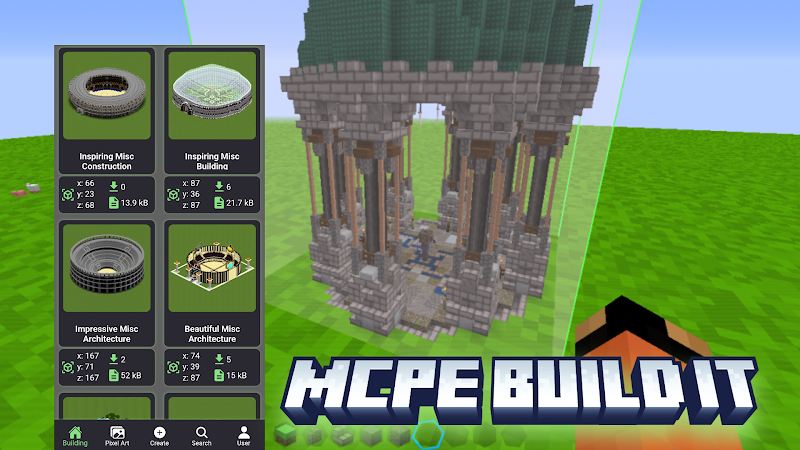
Vast Library of Pre-Made Designs
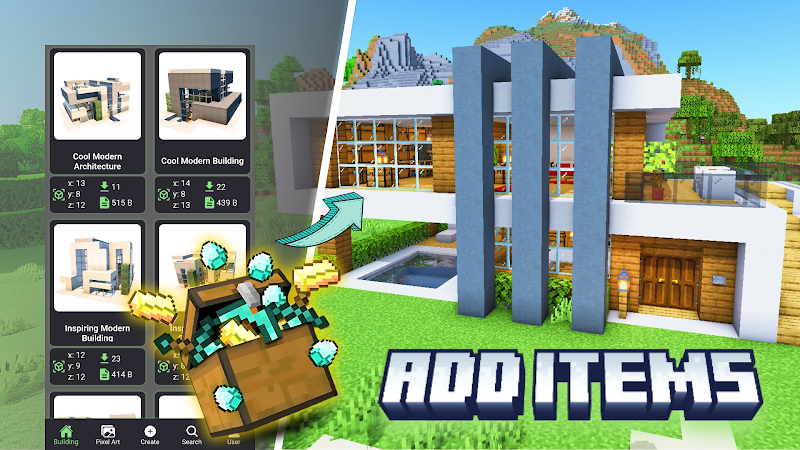
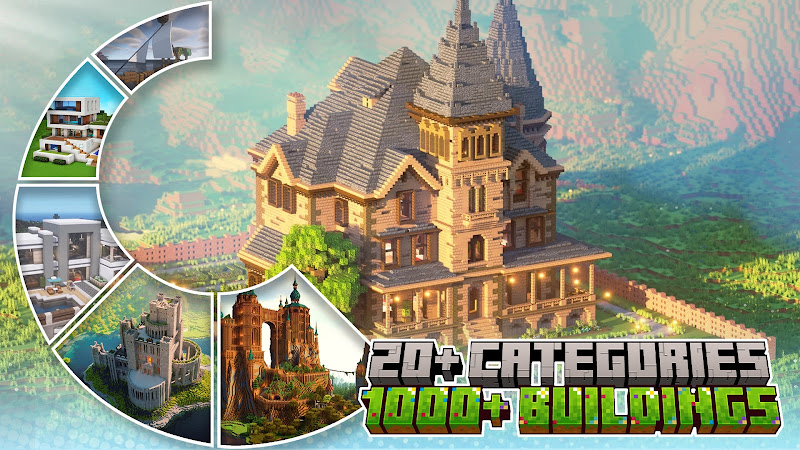
One of the main attractions of Master Builder for Minecraft is its vast library of over 1000 pre-made designs. These include a variety of building types, such as:
-
Modern homes
-
Medieval castles
-
Ships
-
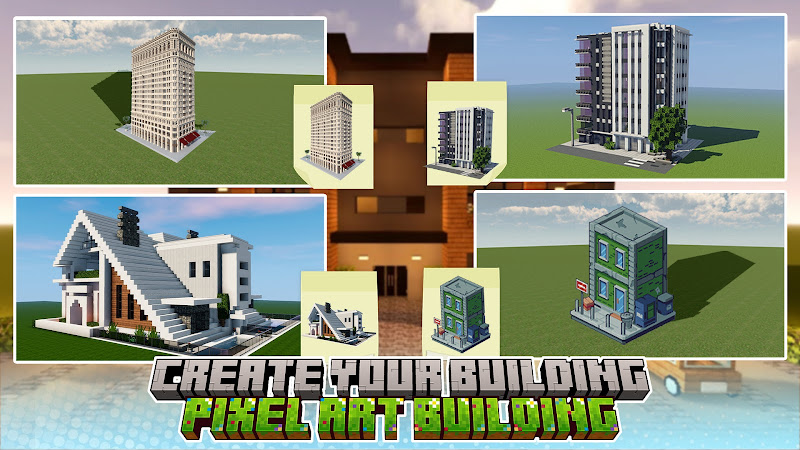
Pixel art
-
Towers This extensive collection provides players with endless options for their Minecraft world, allowing you to choose from designs that fit any style or preference. Whether you want to build a simple house or a grand fortress, the app provides a diverse selection of blueprints for you to explore.
-
Step-by-Step Building Guides
Master Builder for Minecraft makes it easy to build complex structures by providing step-by-step building guides. Each design comes with detailed instructions and blueprints, making the construction process straightforward, even for beginners. These guides help players learn how to assemble various components of their builds, ensuring they can replicate the designs accurately.
-
Customizable Building Plans
While Master Builder for Minecraft provides a variety of pre-made designs, the app also allows for customization. You can modify any design to suit your preferences, such as changing the materials used, altering the layout, or adding new features. This level of customization gives you the flexibility to take any design and make it your own, ensuring that your creations stand out.
-
Litematica Blueprints for Easy Construction
The app supports Litematica, a powerful blueprint tool that helps you visualize and construct complex designs with ease. With Litematica, you can view building blueprints layer by layer, which simplifies the process of constructing large or intricate buildings. This feature is particularly helpful for players who want to build detailed structures but struggle with managing multiple components.
-
Categorized Designs for Easy Navigation
To make finding the perfect building easier, Master Builder for Minecraft categorizes its designs into more than 20 categories. These categories include everything from fantasy structures to futuristic buildings, allowing you to explore a variety of architectural styles. This organized system helps you quickly find the type of build you’re interested in, saving time and improving your overall building experience.
Tips and Strategies for Beginners in Master Builder for Minecraft
If you’re new to Master Builder for Minecraft, here are some helpful tips to get you started and make the most of this app’s features:
-
Start with Simple Designs
As a beginner, it’s best to start with simpler designs that don’t overwhelm you. Begin with basic homes or small structures that allow you to practice your building skills. Once you feel comfortable, you can gradually progress to more complex builds like castles or ships.
-
Follow the Step-by-Step Guides
Make use of the step-by-step guides provided with each design. These guides break down the building process into manageable steps, ensuring that you don’t get lost or frustrated. Following the guides will help you build your structures accurately and efficiently, even if you’re new to Minecraft building.
-
Use the Litematica Tool
For more intricate designs, take advantage of the Litematica blueprint tool. This feature lets you see your build layer by layer, making it much easier to manage large and complex structures. It’s especially useful when working with detailed designs that involve multiple blocks and components.
-
Customize Existing Designs
One of the best ways to learn how the app works is by customizing pre-designed structures. Start with a building that you like, and then make small changes to the design. You can modify the materials, adjust the layout, or add new elements to make the building fit your vision. Customizing existing designs is a great way to practice and get comfortable with the app’s features.
-
Save Your Progress Regularly
As you work on your building designs, make sure to save your progress regularly. Minecraft can be unpredictable at times, and saving your work ensures that you don’t lose any hard work if something goes wrong. Saving frequently will help you maintain your workflow and allow you to pick up right where you left off.
Final Thoughts and Review
Master Builder for Minecraft is an exceptional app for players who want to elevate their Minecraft building skills. The app’s extensive library of pre-made designs, combined with step-by-step guides, Litematica blueprint support, and customization options, makes it an invaluable tool for players of all skill levels. Whether you’re a beginner just starting to explore the world of Minecraft building or an experienced player looking for inspiration and guidance, this app has something to offer.
The app’s organized system and user-friendly interface make it easy to navigate, while its wide variety of designs ensures that you never run out of new ideas for your Minecraft world. If you’re looking for a way to create complex and beautiful buildings in Minecraft, Master Builder for Minecraft is definitely worth checking out.
FAQs
-
What types of structures can I build with Master Builder for Minecraft?
With Master Builder for Minecraft, you can build a wide variety of structures, including modern homes, medieval castles, ships, pixel art, and more. The app offers over 1000 pre-made designs across different categories.
-
Is Master Builder for Minecraft suitable for beginners?
Yes, Master Builder for Minecraft is designed to be beginner-friendly. The app provides step-by-step guides, easy-to-follow instructions, and Litematica blueprints to help players of all skill levels create stunning structures.
-
Can I customize the buildings in the app?
Absolutely! You can modify any of the pre-made designs to suit your preferences. Change materials, alter layouts, and add your own creative touches to make each build unique.
-
What is Litematica and how does it help me build?
Litematica is a blueprint tool that helps you visualize and construct complex designs in Minecraft. With Litematica, you can view your building layer by layer, making it easier to manage intricate builds.
-
Is Master Builder for Minecraft free to use?
While the app is free to download, some premium designs or features may require in-app purchases. However, there is still plenty of content available without any cost.
Conclusion
Master Builder for Minecraft is an excellent app for anyone looking to improve their Minecraft building skills. With its vast library of designs, step-by-step guides, and powerful tools like Litematica, it offers everything you need to create stunning and complex structures. Whether you’re a beginner or an experienced builder, this app is an invaluable resource for anyone who loves to design and build in Minecraft.
Download Master Builder for Minecraft today and start building your dream creations in Minecraft!
Images