Maps for Minecraft PE
5.2.0
Discover Maps for Minecraft PE, a tool that enhances your Minecraft experience with new maps and challenges. Download now to explore exciting new worlds!

Report this app
Description
Maps for Minecraft PE: A Comprehensive Overview
Maps for Minecraft PE is an app designed to bring a whole new level of exploration and creativity to Minecraft Pocket Edition (PE). As one of the most popular sandbox games in the world, Minecraft lets you build and explore incredible worlds. With Maps for Minecraft PE, players can easily download and install a variety of exciting new maps, each offering unique challenges and adventures to make your Minecraft experience even more enjoyable.
This app offers a wide selection of maps that cater to different playstyles, from puzzle maps to survival challenges and even complex adventure worlds. Whether you’re looking to add a fresh map to your collection or you want to try something completely new, Maps for Minecraft PE has it all.
In this article, we’ll explore the key features of Maps for Minecraft PE, provide helpful tips for beginners, and offer an overall review of what makes this app a must-have for Minecraft players.
Exclusive Features of Maps for Minecraft PE
Maps for Minecraft PE offers an array of exclusive features designed to enhance your gaming experience. Here are some of the key benefits you can expect:
1. Wide Variety of Maps
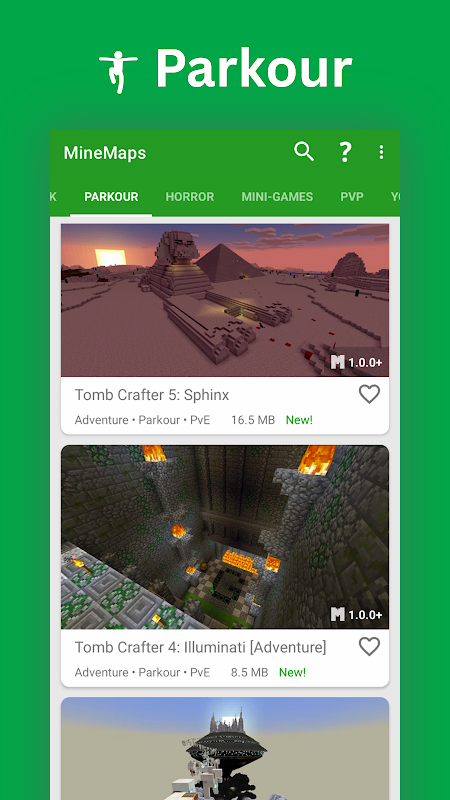
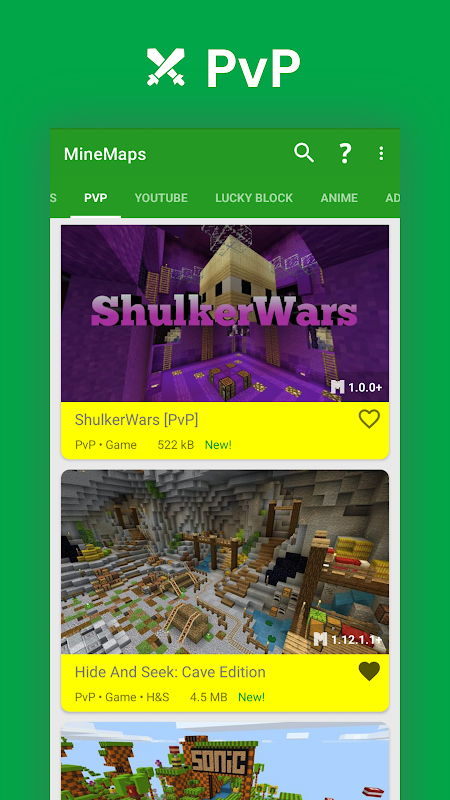
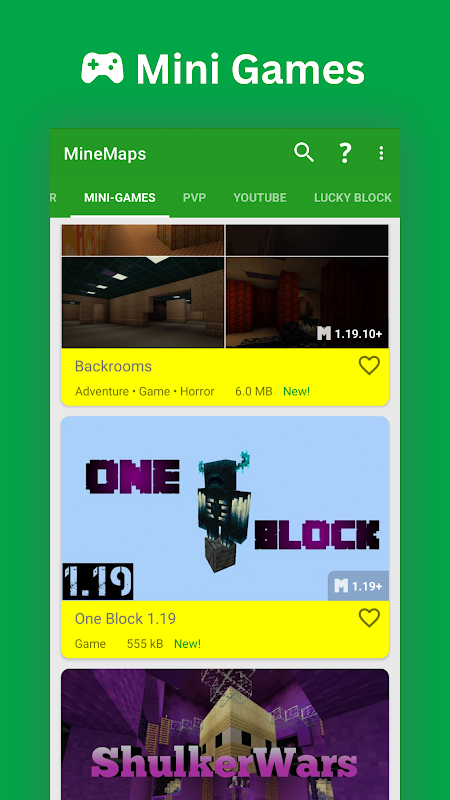
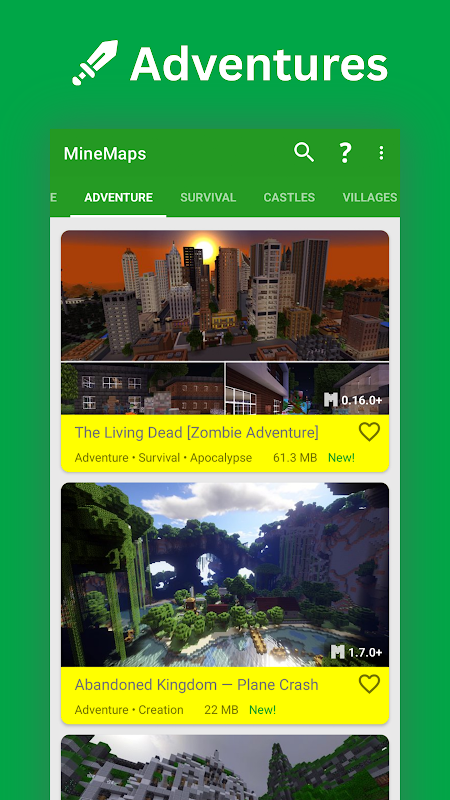
One of the standout features of Maps for Minecraft PE is the vast selection of maps available for download. The app provides maps across several genres, including:
-
Adventure maps: Explore intricate storylines and exciting challenges.
-
Survival maps: Test your resourcefulness and survival skills in various environments.
-
Mini-games: Play custom-designed games with friends and fellow players.
-
Puzzle maps: Solve puzzles and riddles to progress through the game.
-
Building maps: Explore detailed and expansive worlds created by other players. This variety ensures that there’s something for every type of Minecraft player, whether you enjoy story-driven experiences, competitive mini-games, or creative building challenges.
2. Easy Installation Process
Installing new maps with Maps for Minecraft PE is simple and straightforward. The app offers one-click installation, allowing you to download and start playing your new map in just a few minutes. Gone are the days of manually transferring files or dealing with complicated installation processes. The app streamlines the process, so you can focus on enjoying the new content.
3. Regular Updates with New Maps
To keep things fresh, Maps for Minecraft PE is regularly updated with new maps and content. You’ll always find exciting new worlds to explore, from community-created maps to new official releases. The app’s regular updates ensure that you never run out of new adventures to embark on.
4. Detailed Descriptions and Previews
Before you download a map, Maps for Minecraft PE provides detailed descriptions and previews, so you know exactly what to expect. These previews include screenshots and information about the type of map, gameplay style, and any special features or challenges the map offers. This feature helps you choose the right map based on your interests, ensuring that each new download meets your expectations.
5. User-Friendly Interface
The app boasts a clean and user-friendly interface that makes browsing and downloading maps a breeze. With simple navigation and intuitive design, it’s easy to find and install maps. Whether you’re a seasoned Minecraft player or a beginner, the app is designed to be accessible to all.
Tips and Strategies for Beginners in Maps for Minecraft PE
If you’re new to Maps for Minecraft PE, here are some tips to help you get started and make the most of your map downloads:
1. Start with Easy Maps
As a beginner, it’s best to start with simpler maps that don’t overwhelm you. Look for maps that offer beginner-friendly challenges or provide tutorials on how to navigate them. These maps will help you get a feel for the game mechanics and let you familiarize yourself with the map installation process.
2. Read Descriptions and Reviews
Before downloading any map, take a look at the description and reviews. The description will give you a sense of what the map is about, while the reviews can help you gauge the quality of the map. This is especially helpful when selecting new adventure maps or puzzle maps, as you’ll want to know if they are well-designed and engaging.
3. Play with Friends
Many of the maps in Maps for Minecraft PE are designed for multiplayer gameplay, allowing you to join forces with friends to explore and conquer challenges together. Try playing co-op maps or mini-games with friends to make the experience even more enjoyable. Multiplayer maps add an extra layer of excitement and create opportunities for teamwork and friendly competition.
4. Experiment with Different Map Types
Don’t limit yourself to just one type of map. Maps for Minecraft PE offers a wide range of genres, so it’s worth experimenting with different styles of gameplay. Try out survival maps to test your resourcefulness, adventure maps to immerse yourself in stories, or puzzle maps to challenge your problem-solving skills. This will keep the game exciting and prevent things from getting repetitive.
5. Create Your Own Maps
Once you feel comfortable exploring other players’ maps, consider creating your own! Maps for Minecraft PE not only lets you download maps but also encourages creativity. With the right tools, you can design your own world, share it with others, and even create challenges and mini-games for other players to enjoy.
Final Thoughts and Review
Maps for Minecraft PE is an excellent app for anyone looking to expand their Minecraft Pocket Edition experience. With a wide variety of maps, easy installation, and regular updates, it provides a constant stream of new content to keep your gameplay fresh and exciting. Whether you prefer solving puzzles, surviving in hostile environments, or exploring epic adventure maps, this app has something for everyone.
The app’s simple interface and one-click installation process make it accessible even to beginners, while the variety of map types ensures that even experienced players will find new and engaging content. If you’re looking to enhance your Minecraft experience and explore new worlds, Maps for Minecraft PE is a must-have app.
FAQs
1. What types of maps are available in Maps for Minecraft PE?
Maps for Minecraft PE offers a wide range of maps, including adventure maps, survival maps, puzzle maps, mini-games, and building maps. Each category provides a unique gameplay experience.
2. How do I install maps from the app?
Installing maps is easy with Maps for Minecraft PE. Simply browse the app, select the map you want to download, and tap to install. The app handles the installation automatically, and you can start playing right away.
3. Are the maps free to download?
Yes, all the maps available in Maps for Minecraft PE are free to download. You can explore a variety of new worlds without any additional costs.
4. Can I play maps with my friends?
Many maps in Maps for Minecraft PE are designed for multiplayer gameplay. You can join your friends to explore new worlds, complete challenges, and play custom mini-games together.
5. How often is the app updated?
Maps for Minecraft PE is regularly updated with new maps and content. You can expect fresh maps to be added frequently, ensuring that you always have something new to explore.
Conclusion
Maps for Minecraft PE is the perfect tool for anyone who wants to enhance their Minecraft Pocket Edition gameplay. With its wide variety of maps, easy installation process, and regular updates, this app ensures that your Minecraft world is always fresh and exciting. Whether you enjoy solving puzzles, surviving in the wilderness, or playing creative mini-games, Maps for Minecraft PE has something for everyone.
Download Maps for Minecraft PE today and start exploring new worlds right at your fingertips!
Images