Addons for Minecraft
1.22.14
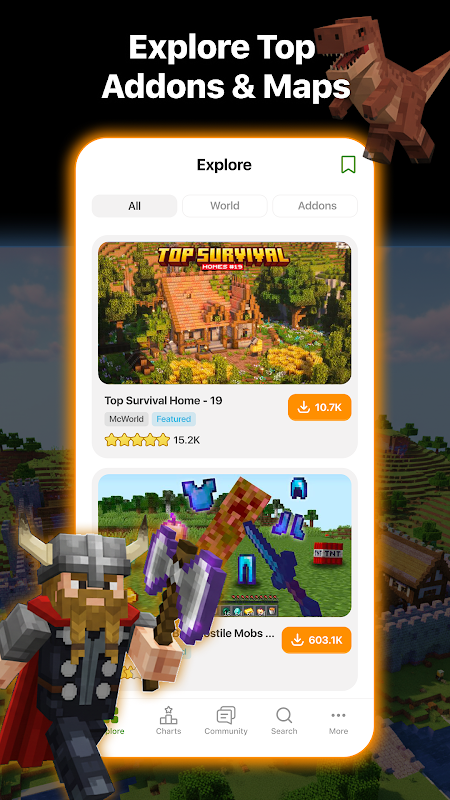
Explore Addons for Minecraft, a user-friendly app that helps you customize your Minecraft world with ready-to-use add-ons. Start creating your perfect Minecraft world today!

Report this app
Description
Addons for Minecraft: A Comprehensive Overview
If you’re a Minecraft enthusiast, Addons for Minecraft is an app that will enhance your gameplay by offering customizable features for your Minecraft world. Designed to provide players with a variety of easy-to-use add-ons, the app lets you change various aspects of the game such as mobs, textures, and environments—without the need for external mods or hacks. Whether you’re looking to personalize your Minecraft Pocket Edition or add new elements to the game, Addons for Minecraft provides a seamless experience for mobile players.
In this article, we’ll explore the key features of Addons for Minecraft, offer tips for beginners, and provide a final review to help you decide if this app is right for you.
Exclusive Features of Addons for Minecraft
Addons for Minecraft stands out in the Minecraft customization world thanks to its variety of features and user-friendly interface. The app is designed to cater to both casual players and creative builders, providing easy access to a wide array of customizable elements. Here are some of its most noteworthy features:
User-Friendly Interface
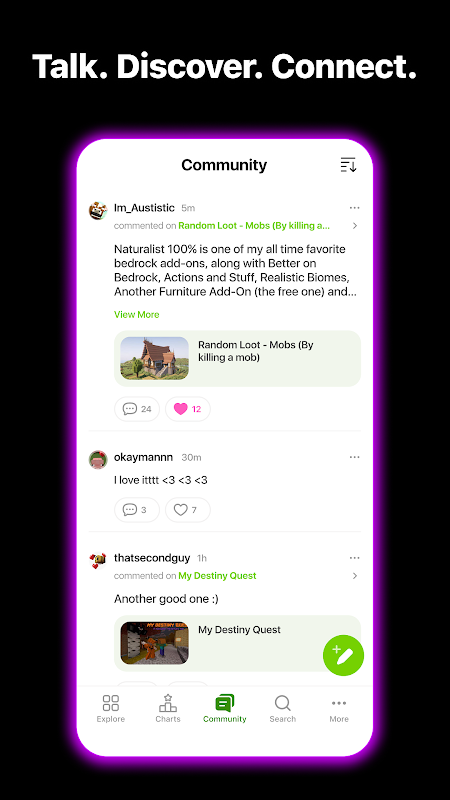
One of the key selling points of Addons for Minecraft is its simplicity. The app is designed with ease of use in mind, allowing players to navigate and apply add-ons with just a few taps. No need for technical knowledge or complicated setups—simply browse, select, and customize.
Wide Range of Customizable Add-ons
The app offers a broad selection of add-ons for Minecraft. These include custom textures, skins, mobs, weapons, and environmental elements. Whether you’re looking to tweak a single aspect of your game or transform your entire world, Addons for Minecraft has you covered with a variety of customization options.
No Need for External Mods or Hacks
Unlike other customization tools, Addons for Minecraft works within the game’s framework, meaning you don’t need to rely on external mods or hacks to make changes. This ensures that the app is safe and complies with Minecraft’s terms of use, offering a hassle-free and secure way to personalize your game.
Easy Access to Pre-Made Add-ons
For users who prefer a quick start, Addons for Minecraft provides access to a large library of pre-made add-ons. These are ready to be downloaded and applied to your Minecraft world, giving you immediate enhancements without any extra effort. Whether you’re interested in new mobs, better textures, or an entirely new environment, the app makes it simple to get started.
Compatibility with Minecraft Pocket Edition (MCPE)
The app is fully compatible with Minecraft Pocket Edition (MCPE), which is great news for mobile players. You can easily integrate the add-ons into your MCPE gameplay, making it a convenient option for players who want to customize their experience on the go.
Tips and Strategies for Beginners in Addons for Minecraft
If you’re new to Minecraft customization, Addons for Minecraft can be a great starting point. Here are some helpful tips to guide you as you explore the app:
-
Start with Basic Add-ons
For beginners, it’s recommended to start with simple add-ons like new skins or textures. These changes are easy to implement and will help you get familiar with how add-ons work within the game. Once you’re comfortable, you can move on to more complex modifications.
-
Experiment with Different Categories
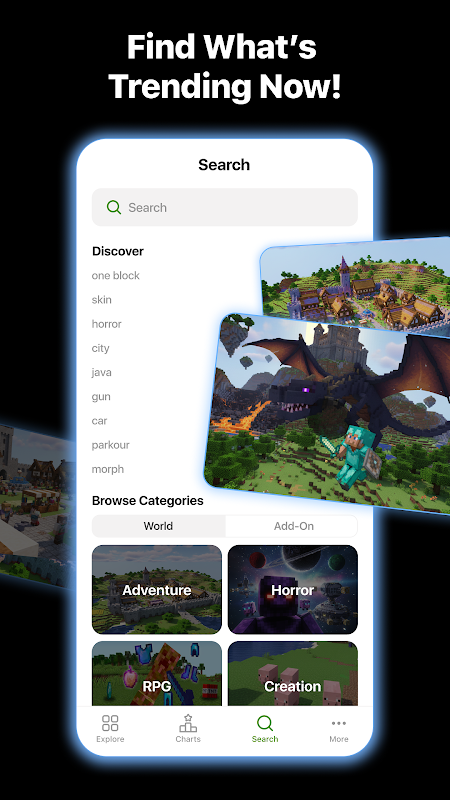
The app categorizes its add-ons for easy browsing. You can explore different sections, such as mobs, textures, or environments, to find add-ons that appeal to you. This will help you quickly navigate through the app and discover new ways to customize your Minecraft world.
-
Test Add-ons Regularly
After downloading and applying add-ons, it’s essential to test them in the game to ensure they work as expected. This will help you avoid any issues and make sure that your Minecraft experience is running smoothly.
-
Combine Multiple Add-ons
Don’t be afraid to combine multiple add-ons for a more unique and personalized experience. The app allows you to use various add-ons simultaneously, giving you the flexibility to customize your world in countless ways.
-
Stay Updated with New Add-ons
Keep an eye on the app for new and updated add-ons. The developers regularly release new content, so there’s always something fresh to try. By staying updated, you can continually enhance your Minecraft world with the latest features.
Final Thoughts and Review
Overall, Addons for Minecraft is an excellent tool for any Minecraft Pocket Edition player looking to enhance and personalize their gaming experience. With its easy-to-use interface, wide variety of customizable add-ons, and seamless integration with Minecraft, the app offers a comprehensive solution for anyone looking to modify their game. Whether you’re looking to change your game’s environment, add new mobs, or customize textures, Addons for Minecraft provides all the tools you need.
The app’s simple design makes it accessible for both beginners and experienced players, and its focus on safe, non-exploitative customization ensures a positive user experience. If you’re looking for an easy way to make your Minecraft world uniquely yours, Addons for Minecraft is an app you won’t want to miss.
FAQs
-
What types of add-ons can I find in the app?
The app offers a variety of add-ons, including custom textures, skins, mobs, weapons, and environmental changes. You can browse different categories to find the add-ons that suit your needs.
-
Do I need any coding skills to use Addons for Minecraft?
No, the app is designed to be user-friendly and does not require any coding skills. You can easily download and apply add-ons with just a few taps.
-
Can I use Addons for Minecraft on both Android and iOS?
Yes, Addons for Minecraft is available for Android users. For iOS users, compatibility may depend on the specific version of the app.
-
Are the add-ons free to use?
Yes, Addons for Minecraft offers a wide range of free add-ons for users. You can download and use these add-ons without any cost, making it accessible for all players.
Conclusion
If you’re a Minecraft Pocket Edition player looking to add some fresh, personalized content to your game, Addons for Minecraft is the perfect tool for you. With its vast selection of customizable add-ons, simple interface, and seamless compatibility with MCPE, this app will help you take your Minecraft world to the next level.
Start exploring today and enhance your Minecraft experience with Addons for Minecraft. Download the app and get started on your creative journey!
Images